
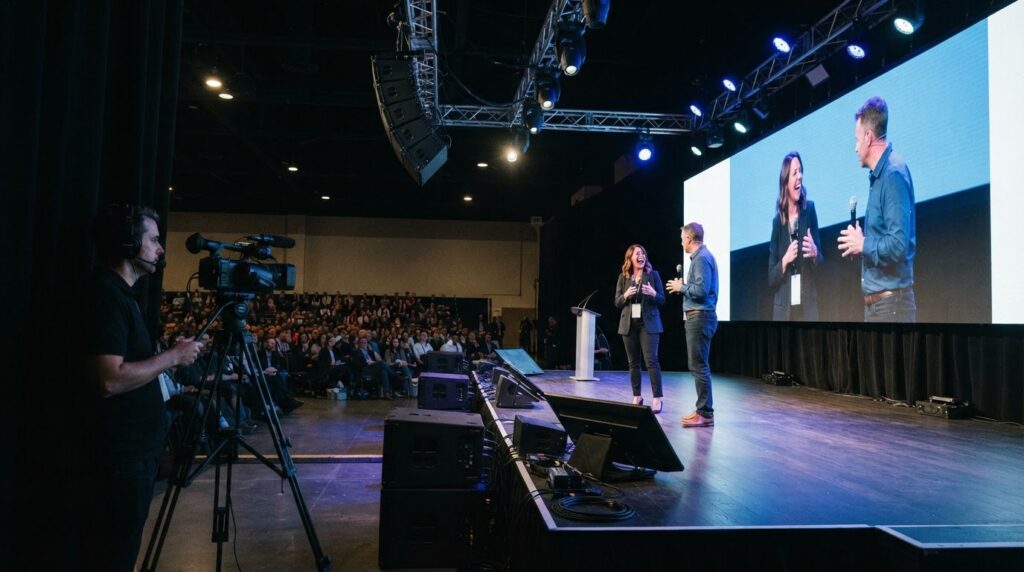
A production plan built around an equipment list can overlook what an event actually needs. When choosing an event AV company in Ontario, look for technical support tailored to the format, audience and purpose, whether you need clear sound, well-planned lighting, reliable video, equipment rentals or a permanent installation.
Event planners and organizations need the details to work together, from the production setup to the technical support on site. This article explains how audio, lighting and video production support different events, what rentals and installations can cover, and how production services serve events across Toronto and Southern Ontario.
Key Takeaways
- Match production requirements to the event format, audience and venue so technical decisions support the program.
- Consider rentals for event-specific needs and permanent installations for ongoing use, with setup shaped around the space.
- Plan sound, lighting and video as connected parts of the event to support clear communication and smooth execution.
- Learn how production support can bring live and hybrid events together through audio, video and on-site technical services.
Audio-visual event production in Toronto and Southern Ontario
Production needs depend on the venue, audience and event format. In Toronto and across Southern Ontario, start by matching the technical plan to the program.
Regional Event Production
For Toronto or a Southern Ontario venue, confirm access times, room layout and technical requirements before finalizing the production plan. For events spanning Canada and the U.S., account for travel routes, venue coordination and differences between local requirements. The Concert on the Canal Series in Welland was named a Festival and Events Ontario Top 100 Event for 2024, showing the range of regional events supported by production teams.
Virtual Events and Live Streaming
Virtual event production adds remote speakers and viewers to the technical run of show. Decide how speakers will join, how presentations will be shared and how questions will reach the host. Then confirm the venue’s internet arrangements and test the full program flow before event day. A hybrid format needs coordination between the in-room audience and online participants; virtual and hybrid event production can bring those elements into one plan.
Planning and Production Coordination
End-to-end coordination connects the event schedule with technical cues, room access and production responsibilities. Share the run of show, speaker order, presentation files and venue details with the production team, then record who handles each change. Permit, insurance and venue requirements depend on the event activities, location and venue agreement. Use the venue’s requirements and event documents to identify what applies before production is finalized.
Booking and Provider Selection
Start planning once the date, venue and event format are known. Production scope and venue access determine how much coordination is needed. Ask who manages technical direction, what the services include and how schedule or content changes are handled. Plan for issues such as late presentation files, changes to room access, internet problems during streaming and unclear cue ownership. A shared run of show and clearly assigned responsibilities help the team respond.
AV equipment rentals and installations
Rentals suit event-specific needs, while permanent installations support ongoing use. The right solution depends on the room, program and who will operate the system.
Rental and Production Costs
There is no single cost for event AV rental and production in Ontario. Scope depends on event duration, equipment needs, venue access, delivery, setup, operation and removal. Permanent installation costs depend on the space and the system needed for regular use. Compare quotes based on the same scope and look for clear, all-in pricing that explains what is included. Review the written Comfort Warranty as part of the agreement.
Equipment Included in AV Packages
An AV package may include sound, lighting, staging and video, depending on the program and venue. A conference with speakers and presentations has different needs from a live performance, so an audiovisual equipment list should reflect the actual schedule. Check what is supplied, what requires an operator, and how setup and removal are handled. Comparing packages by function, not just item count, helps clarify what each one provides.
For a permanent installation, identify how the room will be used, who will operate the system and which equipment needs to work together. These details shape the installation and distinguish ongoing room requirements from one-time event needs.
For event production or installation support, explore Straight Street’s audiovisual services.
Technical audio, lighting, and video
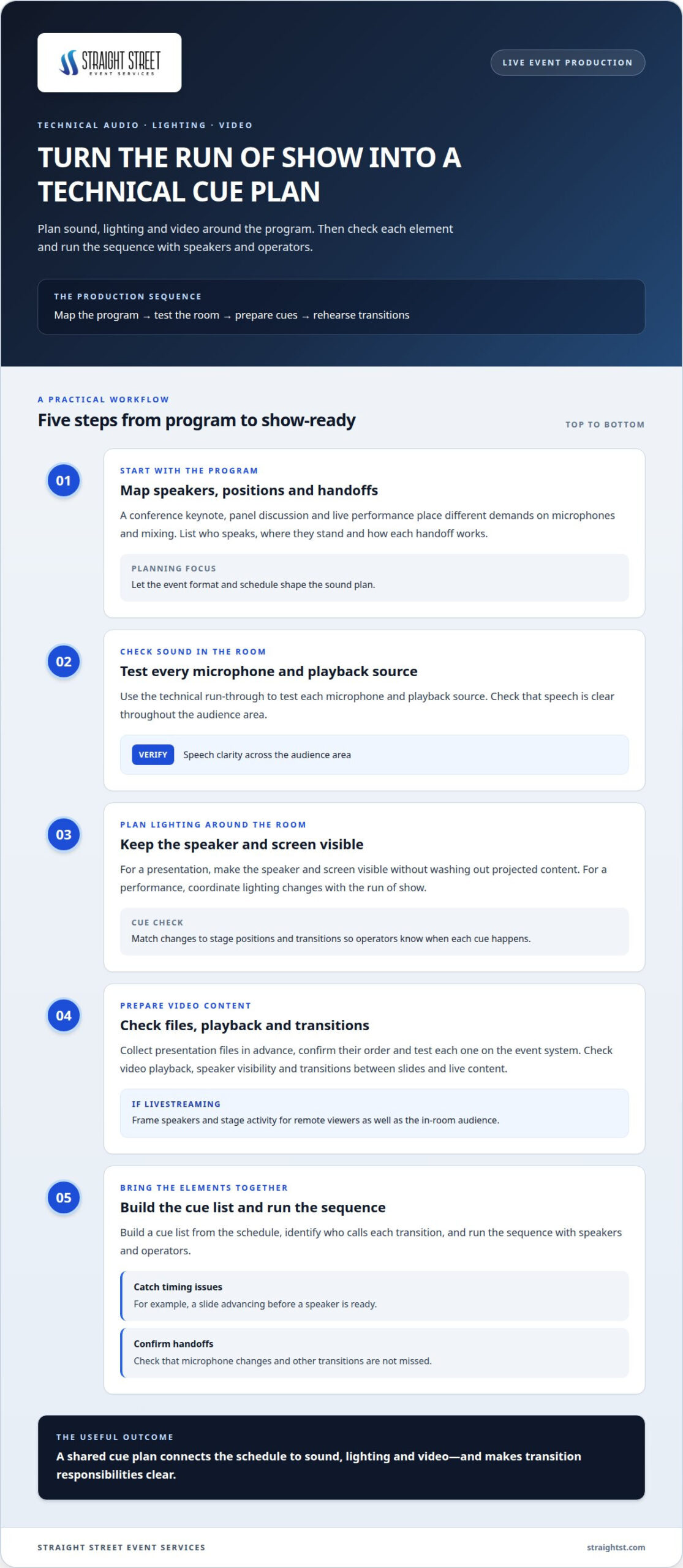
Start sound planning with the program: a conference keynote, panel discussion and live performance place different demands on microphones and mixing. Map who speaks, where they stand and how handoffs work. Test every microphone and playback source during the technical run-through, then check that speech is clear throughout the audience area.
Lighting should suit the room’s purpose and help the audience follow the action. For a presentation, keep the speaker and screen visible without washing out projected content. For a performance, coordinate changes with the run of show. Check cues against stage positions and transitions so operators know when each change should happen.
Video production involves more than putting slides on a screen. Collect presentation files in advance, confirm their order and test each one on the event system. Check video playback, speaker visibility and transitions between slides and live content. For a livestream, frame speakers and stage activity for remote viewers as well as the in-room audience.
The production detail lies in how sound, lighting and video work together. Build a cue list from the schedule, identify who calls each transition, and run the sequence with speakers and operators. This helps catch issues such as a slide advancing before a speaker is ready or a microphone handoff being missed. To discuss technical needs for an upcoming event, connect with the production team.
Straight Street Event Services: Live Event Audio visual Production Services
Straight Street Event Services provides live event audiovisual production tailored to each organization’s program. Sound, lighting, staging and video work best when the production plan accounts for the needs of speakers, performers and the on-site audience. When remote participation is part of the event, Hybrid Event Production Services coordinate the in-room and online components.
Straight Street also provides Audio Production Services and Video Production Services for events with specific technical needs. Share the event format, venue details and program priorities to define the production scope and responsibilities. This is a practical next step when you need a production partner, not just equipment.
Contact Straight Street Event Services to discuss your event.
Set the Production Direction for Your Next Event
Turn the program into a clear technical brief. Identify the audience, venue, schedule, key moments and any remote participation. This gives an event AV company in Ontario a practical starting point for planning support around your event, rather than relying on a generic equipment list.
Straight Street Event Services provides Live Event Audio visual Production Services and Audio Production Services for in-person events, as well as Hybrid Event Production Services when online participation is part of the plan. Bring the brief, venue details and priorities to the first conversation to clarify the production scope and responsibilities.
To discuss your event, contact Straight Street Event Services. A clear starting point can help you move into the next planning conversation with confidence.
Frequently Asked Questions
What event AV companies serve Ontario, Canada?
Ontario event production is supported by regional AV firms and touring production teams. For an event spanning several cities, consider whether one team can coordinate technical requirements across locations and keep communication consistent. For a single-city event, familiarity with the venue and its access procedures can inform a practical production plan.
Which Ontario cities do event AV companies cover?
Straight Street serves Cambridge, Kitchener, Waterloo, Toronto, Sarnia, Windsor, Mississauga, Hamilton, London, Stratford, Guelph, St. Catherines, Niagara Falls and other Southern Ontario communities. For a multi-location program, share every venue address and event date early. This helps coordinate travel, access and equipment movement across the schedule.
What audio, lighting, staging, and video services do Ontario event AV companies offer?
Common production services include sound, lighting, staging, video, technical direction and equipment. These can be scoped as individual elements or coordinated across an event. For example, a conference with stage changes between presentations needs a plan for the equipment, timing, operator responsibilities and transitions.
How do Ontario event AV companies compare on reviews, experience, and pricing?
Compare relevant event experience, client feedback and how clearly each quote defines its scope. Straight Street’s Google rating is 4.9 out of 5 across 30 reviews. Look for review comments about communication and execution, then compare those details with your event’s requirements. A useful comparison considers how the team handles changes and coordinates with the venue.
Do Ontario AV companies provide on-site technicians and hybrid-event streaming?
Yes, Straight Street provides on-site technicians and hybrid-event streaming. Experienced operators are provided for every position, with a direct line to lead event staff throughout the show. For a hybrid program, prepare a schedule that identifies presenter handoffs, remote contributions and who will communicate changes to the technical team. Clear responsibilities help keep cues aligned with the event.